With app showing the medication list and organizer overview

Filling the pill organizer is harder than it looks.

You didn't ask for this. But it's yours to do, and it has to be right. With tells you exactly how much of each medication to put in the pill organizer, tracks which medications are running low, and reminds you when it's time to fill again – before anything runs out.

Download on the App Store

Free to try, no card needed.

With fill flow – medication and amount for the pill organizer

How With works

  1. Add your medications once

    Tell With the name, the dose, how many at a time, and when. Update it any time something changes.

  2. Choose how many weeks you're filling for

    With works out exactly how many of each medication you need, based only on what you told it. No guesswork, no mental math.

  3. Fill the pill organizer, one medication at a time

    Check off each one as you place it in the organizer. When you're done, you're done.

Who is With for?

Anyone who fills a pill organizer – your own, or someone else's. For your mom, your dad, your partner, or your kid. Or just for you, every week, however many medications, however many times a day.

Notice a medication running low? Mark it as you go

While you're filling the organizer, check what's left of each medication. If there won't be enough for next time, mark it as running low right there from your list. With keeps track, and makes sure you're reminded to restock with time to spare before your next fill.

With medication list with Mark as running low and Mark as restocked
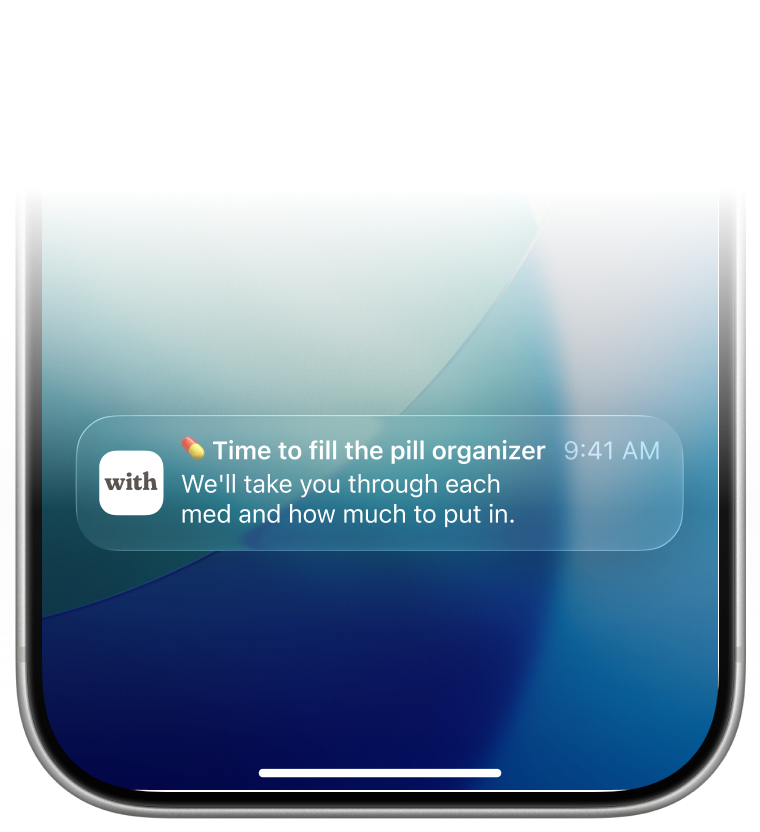
With push notification reminder to fill the pill organizer or restock medication

Reminders, right on time

With remembers when you last filled the organizer, and lets you know well before it's due again: a heads-up the day before, a reminder on the day, and a gentle nudge if it slips past.

The same goes for restocking – if something's still marked as running low as fill day gets close, With reminds you about that too.

One medication, more than one name

The same medication is often sold under different names – brand, generic, or whatever the pharmacy had this time. Group them together in With, and they're treated as one. Your organizer always matches what's actually on the shelf.

With medication list showing brand and generic names grouped as one medication

Your privacy, looked after

With never asks for any personal or medical information.

  • Your account is always protected. Sign in with Face ID or Touch ID.
  • A nickname only – no real names, ever
  • No medical records, no diagnoses, no history
  • No ads, ever. Your data is never sold.

Questions

About With

How much of each medication do I need to put in my pill organizer?
With tells you exactly what to put in each slot of the pill organizer – how many pills, capsules, or other units that go in the organizer, for each medication, for each time of day. Open With, choose how many weeks you're filling for, and go through each medication one by one. With shows you what goes where, and lets you check it off as you place it in the organizer.
Does With remind me to take my medication?
No. With reminds you when it's time to fill your pill organizer, and lets you know if anything you've marked as running low needs restocking. Reminding you about each individual dose during the day is a different job – With's focus is making sure the organizer gets filled correctly in the first place.
Can With handle medications I take only on certain days, or at different times of day?
Yes. For each medication, you can set which times of day it's taken – morning, noon, evening, or bedtime – and which days of the week, if it's not every day. With uses this, along with how many weeks you're filling for, to work out exactly how much you need.
Are generic and brand-name medications treated as the same thing?
Yes. The same medication is often sold under different names – brand, generic, or whichever version the pharmacy has in stock. In With, you can group these together as one medication, so your organizer always matches what's actually on the shelf, whichever version you were given.
What happens when I mark a medication as running low?
Nothing happens right away – it's just a note to yourself. With keeps track and reminds you to restock with enough time before your next fill, so you're not caught short at the pharmacy. Once you've restocked, mark it as restocked and the reminders stop.

Tips for filling a pill organizer

How do I avoid losing track of which medication is about to run out while I'm filling my organizer?
While you're filling the organizer, check what's left of each medication. If there won't be enough for next time, mark it as running low right then – With will remind you to restock it before your next fill, with enough time to make a pharmacy run. A simple trick that helps: group all boxes of the same medication together with a rubber band before you start. When one group is nearly empty, you'll notice right away.
Should I refill my pill organizer every week?
Not necessarily. Filling for 2-4 weeks at a time means doing this less often overall, which most people find easier than a weekly routine. With supports filling for 1 to 4 weeks at once and works out the right amounts either way.
What's the easiest way to fill a pill organizer with several medications?
Keep all your medications stored together in one bag so they're easy to grab when it's time to fill – and follow the storage instructions for each one, as some need to stay cool. When you're ready to fill, take the bag out and place each medication in a row on the table in front of you. Then open With, choose how many weeks you're filling for, and go through the list one at a time: With tells you exactly what goes in each slot, you fill the compartments, tap Done in the app, and put that medication back in the bag. When everything's checked off, you're done.

Account, billing & privacy

Is my information private?
Yes. With signs you in using Apple Sign In – you authenticate with Face ID or Touch ID, the same way you unlock your phone. With never asks for the name, diagnosis, or any identifying details of the person the medications are for. A nickname is required – no real names, ever. No medical records, no diagnoses, no history is ever stored. With runs no ads, and your data is never sold. Full details are in the Privacy Policy.
Can I delete my account and my data?
Yes. You can delete your account at any time from Settings. This permanently removes your account, your medication list, and everything related to it – immediately, with no grace period. If you'd like to keep a copy first, you can export your medication list as a JSON or CSV file.
How do I cancel my With subscription?
Subscriptions are managed through your Apple ID, not inside With. On your iPhone, open Settings, tap your name, then tap Subscriptions, and select With to cancel. You'll keep access until the end of your current billing period. After that, your medication list stays accessible and safe – you just won't be able to add or edit medications until you resubscribe. How to cancel a subscription on iPhone – Apple Support
How much does With cost, and is there a free trial?
With offers a free trial with no card needed, so you can try it before deciding anything. After the trial, With continues as a low-cost monthly subscription. The exact price is shown in the App Store before you're ever asked to pay.
With app showing the medication list and organizer overview

Try With for your next pill organizer fill.

Try With free, no card needed. If you find With helpful, stay on for a small monthly subscription. If it's not for you, there's nothing to cancel – you were never charged.

Download on the App Store

Free to try, no card needed.